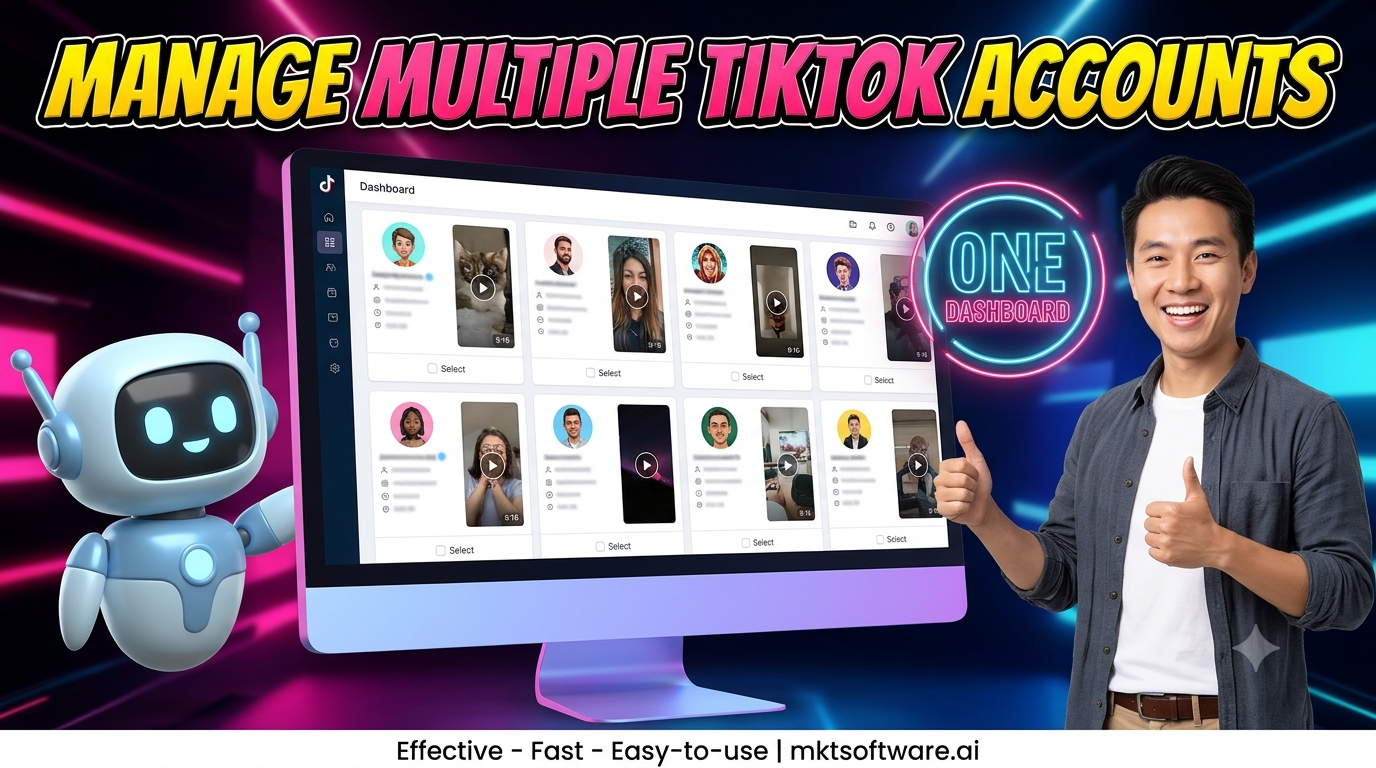
MKT TikPro is a powerful tool designed to streamline your TikTok marketing efforts. In this guide on How to Scan TikTok Account Data Using MKT TikPro Software you’ll learn how to efficiently gather valuable insights from TikTok accounts. With MKT TikPro’s data scanning feature, you can effortlessly scan video data based on metrics like posting date, number of likes, comments, and more.
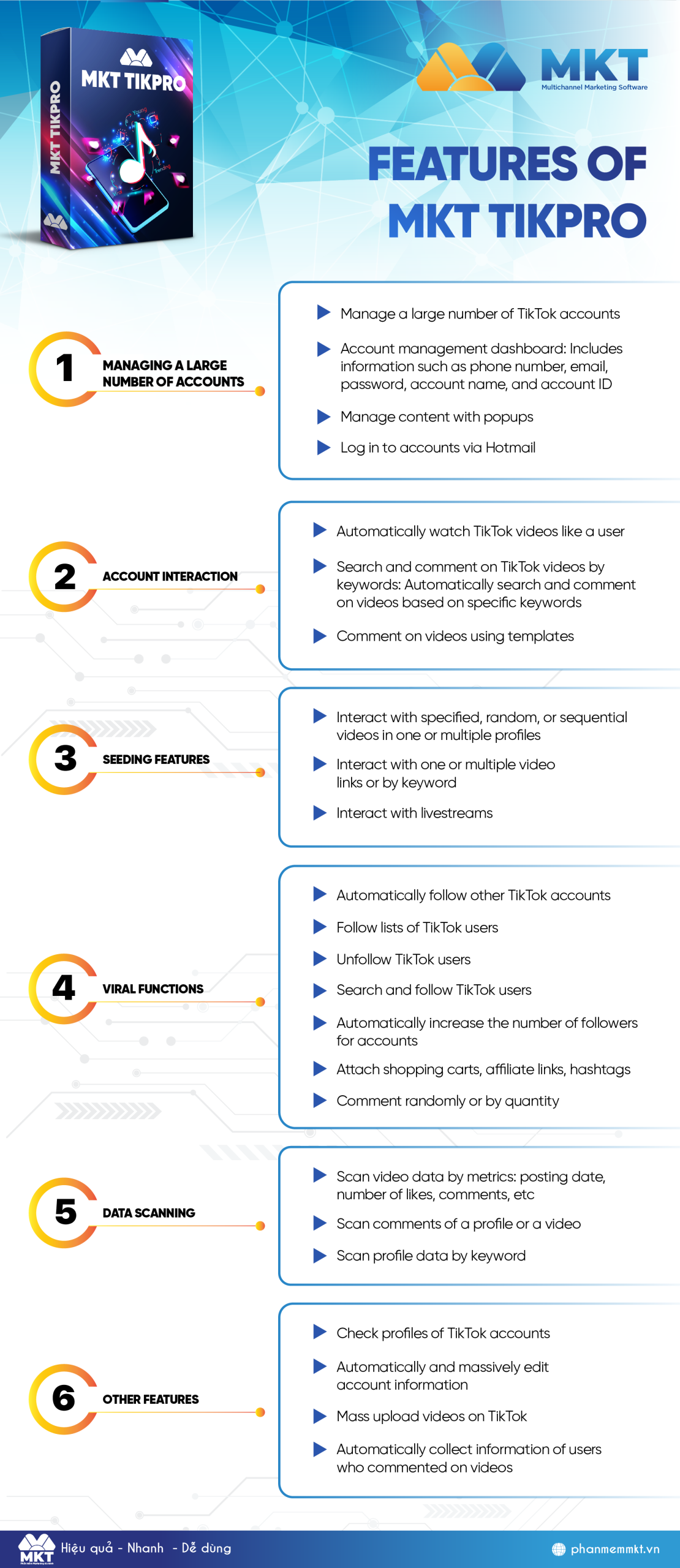
I. MKT TikPro Software features
Here is all functions of MKT TikPro Software:
II. How to scan TikTok account data using MKT TikPro software
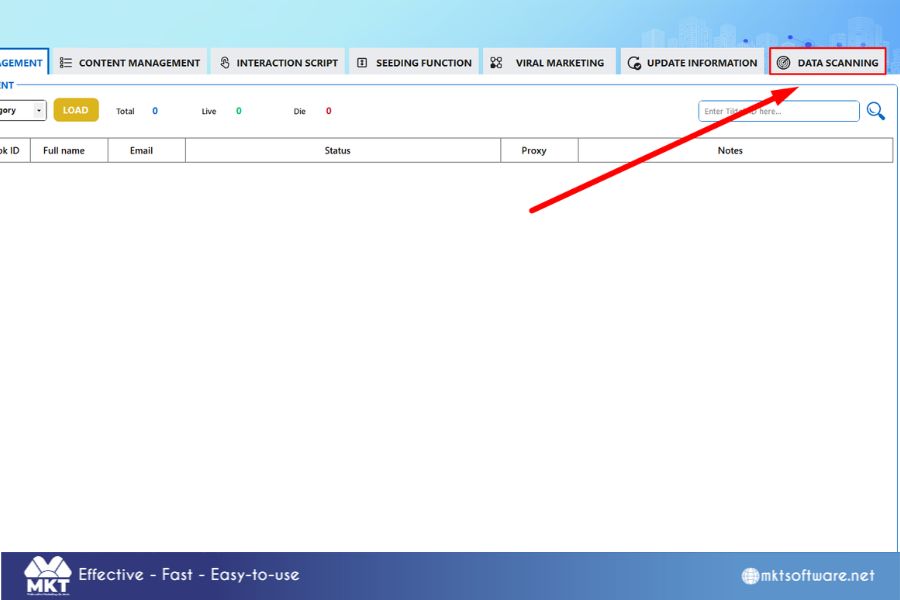
- Step 1: Click on Data Scanning
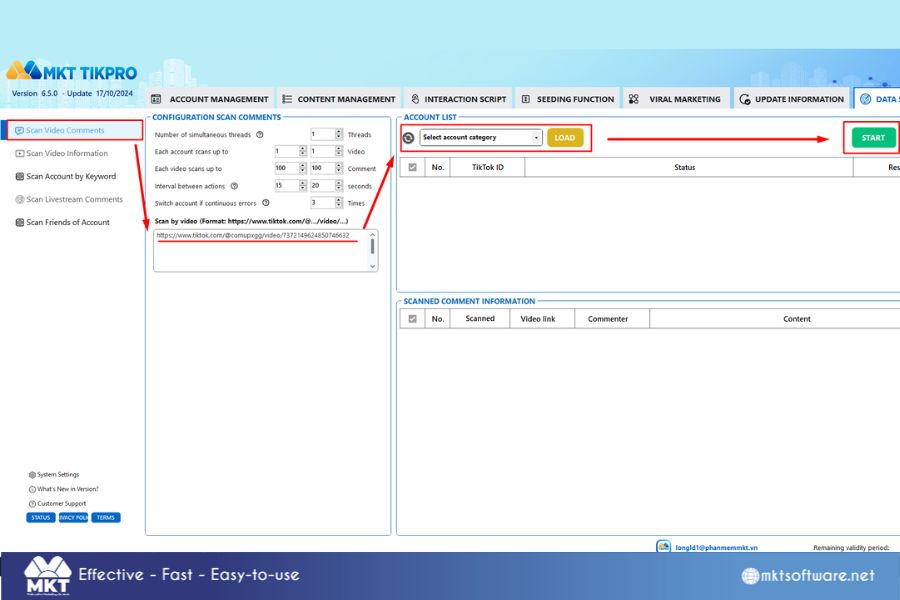
- Step 2: Choose Scan Video Comments
You can scan the comments of a video, this is one way you can tap into a pool of potential customers interested in the topic of the video you choose to scan.
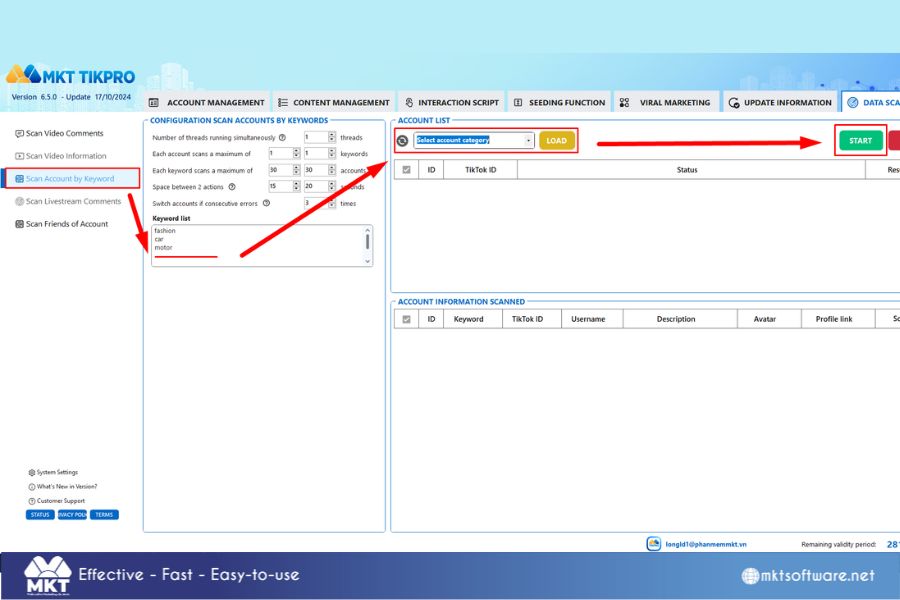
- Step 3: Choose Scan Account by Keyword
Being able to scan for accounts that are interested or contain the keywords you are searching for will allow you to know potential customers.
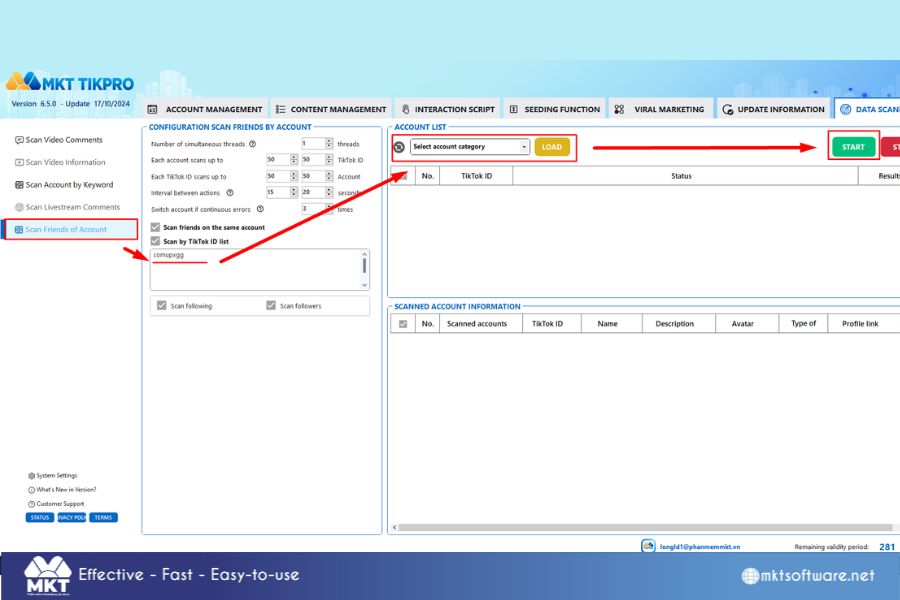
- Step 4: Choose Scan Friends of Account
You can scan the choice between “Scan Following” and “Scan Followers”
In this article, I have guide you how to scan TikTok account data using MKT TikPro software. Wish you success!
Contact Me:
► Fanpage Facebook: MKT Software – Auto Marketing Tool