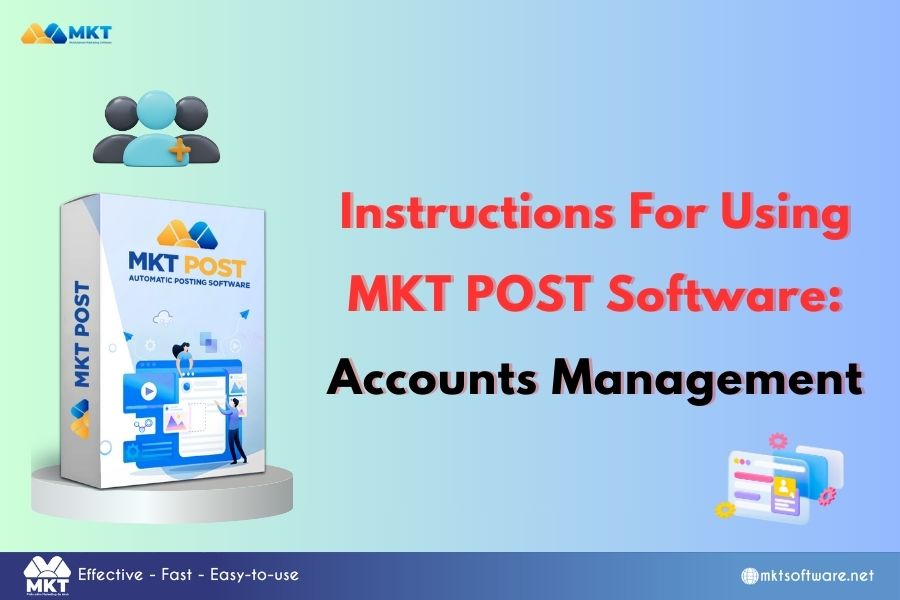
Managing accounts effectively is crucial when using MKT Post software for automated marketing. This guide will walk you through the steps to manage accounts efficiently within MKT Post, ensuring you can maximize your marketing automation potential and streamline your social media management.
I. What is MKT Post?
MKT Post is an automated marketing software designed to help businesses and marketers schedule, post, and manage social media content across multiple platforms. With MKT Post, you can automate tasks, track performance, and manage multiple accounts seamlessly.
II. Why you need to manage accounts in MKT Post
Effective account management ensures that you:
- Keep track of multiple social media profiles.
- Optimize your content strategy by targeting the right audience.
- Avoid mistakes, such as posting the wrong content to the wrong account.
- Monitor engagement and performance metrics accurately.
IIII. How to manage accounts in MKT Post software
Now, let’s dive into the step-by-step process of managing accounts in MKT Post.
- Step 1: Adding category
To start managing your accounts, you first need to add category to MKT Post:
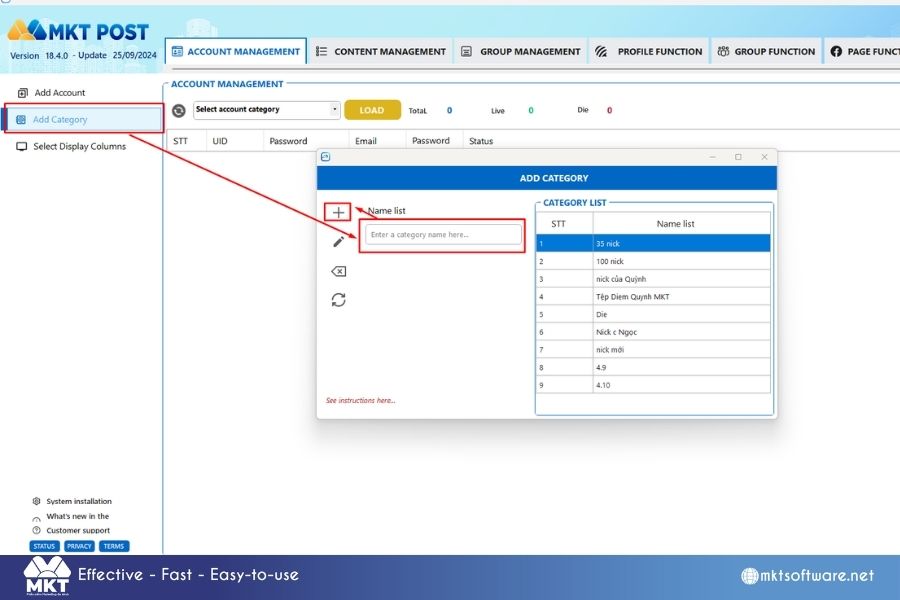
- Click on the “Add Category” button.
- Enter the category name and click on +
- Step 2: Adding accounts
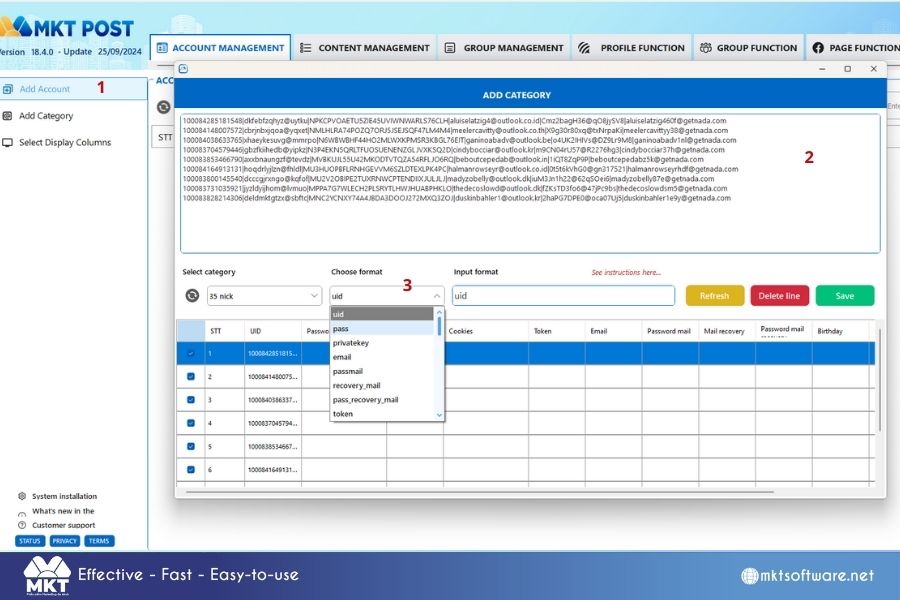
Here’s how to add accounts in MKT Post Software:
- Click on “Add Account”
- Enter the accounts list to MKT Post Software
- Choose Format: Choose the correct format of your Facebook accounts.
- Click on “Save” to save all the accounts
IV. Conclusion
Knowing how to manage accounts in MKT Post effectively helps you streamline your social media marketing efforts. By organizing your accounts, scheduling content, and setting proper permissions, you can maintain control over your social media presence and maximize your marketing impact.
Contact me:
Telegram: @dquynhdav