Brands, agencies, and creators rarely stop at one profile, so sooner or later they need to manage multiple TikTok accounts without losing track of who posted what. MKT TikPro is the Windows software built to manage those accounts and queue videos for each one from a single dashboard. This guide explains why doing it by hand breaks down, what to look for in a better way, and where TikTok’s own rules draw the line. It also answers the questions people ask most before they start.
I. Difficulties Businesses Face When They Manage Multiple TikTok Accounts Manually
TikTok makes it easy to hold more than one profile. Its Community Guidelines say you can have multiple accounts, for example for fan content or creative expression, as long as you do not use them to deceive others or break the rules. That is the good news. The hard part is everything that happens after the second account exists.
The first difficulty is switching. Every move between accounts costs a minute of remembering the voice, the last video, and the current campaign. Across five or ten accounts, that overhead eats a large share of the working day.
The second is uneven attention. In every manual setup, one or two accounts get most of the effort and the rest quietly go silent. Nobody decides to neglect them; it happens because reaching each account depends on someone remembering to open it.
The third is the wrong-account mistake. Posting a video, reply, or caption from the wrong profile is a matter of when, not if, and it is embarrassing for a brand and serious for an agency with several clients.
There is also login friction. Signing in and out, handling verification prompts, and recovering sessions that expired overnight turn simple tasks into interruptions. Accounts that are annoying to open get opened less often, and that quietly hurts any plan to manage multiple TikTok accounts consistently.
The fourth is reused content. Uploading the same video everywhere is tempting, but TikTok’s guidelines say unoriginal or reused material without anything new can be ineligible for the For You feed. Each account needs its own angle.
If you are still wondering about the basics, our older explainer on whether you can have multiple TikTok accounts covers the question of permission. This guide focuses on how to run them well.
II. Why Should You Use A Better Way To Manage Multiple TikTok Accounts To Grow Your Brand?
A better workflow does not make content better on its own, but it removes the friction that stops good content from shipping. Teams that manage multiple TikTok accounts with a clear system tend to see three benefits.
- Consistency: every account keeps a steady posting rhythm instead of bursts followed by silence.
- Clarity: one place shows which account has what queued, so nothing is posted twice and nothing is forgotten.
- Accountability: a log of what went out and when makes weekly reviews quick and makes it easy to hand work between team members.
The use case shapes the answer. An agency has to manage multiple TikTok accounts for different clients without ever mixing up tone or schedule, and it must show each client exactly what went out and when. A brand with regional accounts needs consistent branding with local timing. A creator running several niche accounts needs to keep each audience fed without burning out.
The point is time. If uploading and tracking take an hour a day, that is an hour that could go into scripting, filming, and replying to comments, which is where growth actually comes from.
A better workflow also protects the accounts. When pace and content are planned in advance, nobody is tempted to rush a batch of identical uploads at the end of a long day.
III. Criteria When Choosing The Right Way To Manage Multiple TikTok Accounts
Whether you pick a spreadsheet routine, a social media suite, or a dedicated desktop tool, judge the options against the same checklist:
- Separation: each account should stay clearly separate, so one profile’s activity is never mixed up with another’s.
- Queues and scheduling: you should be able to line up videos per account and decide when they go out. The guide on how to schedule videos on TikTok covers the basics of timing.
- Visibility: a dashboard that shows every account and its queue at a glance saves hours of checking.
- Logs: a record of every upload and any failure, per account, is what makes problems traceable.
- Pace control: you need to set sensible limits so no account suddenly posts far more than usual.
- Honest positioning: choose tools that are upfront about what they are and what risks remain, rather than ones that promise to avoid every restriction.
A simple way to apply the checklist is to score every option from one to five on each point, then add up the totals. Do it with the people who will actually use the tool every day, because the best way to manage multiple TikTok accounts is the one your team will follow on a busy Monday, not the one that looks best in a demo.
Teams that score each option against these six points usually find that the cheapest choice is not the one with the fewest features, but the one that fits how many accounts they really run.

IV. Overview Of The Best Way To Manage Multiple TikTok Accounts – MKT TikPro
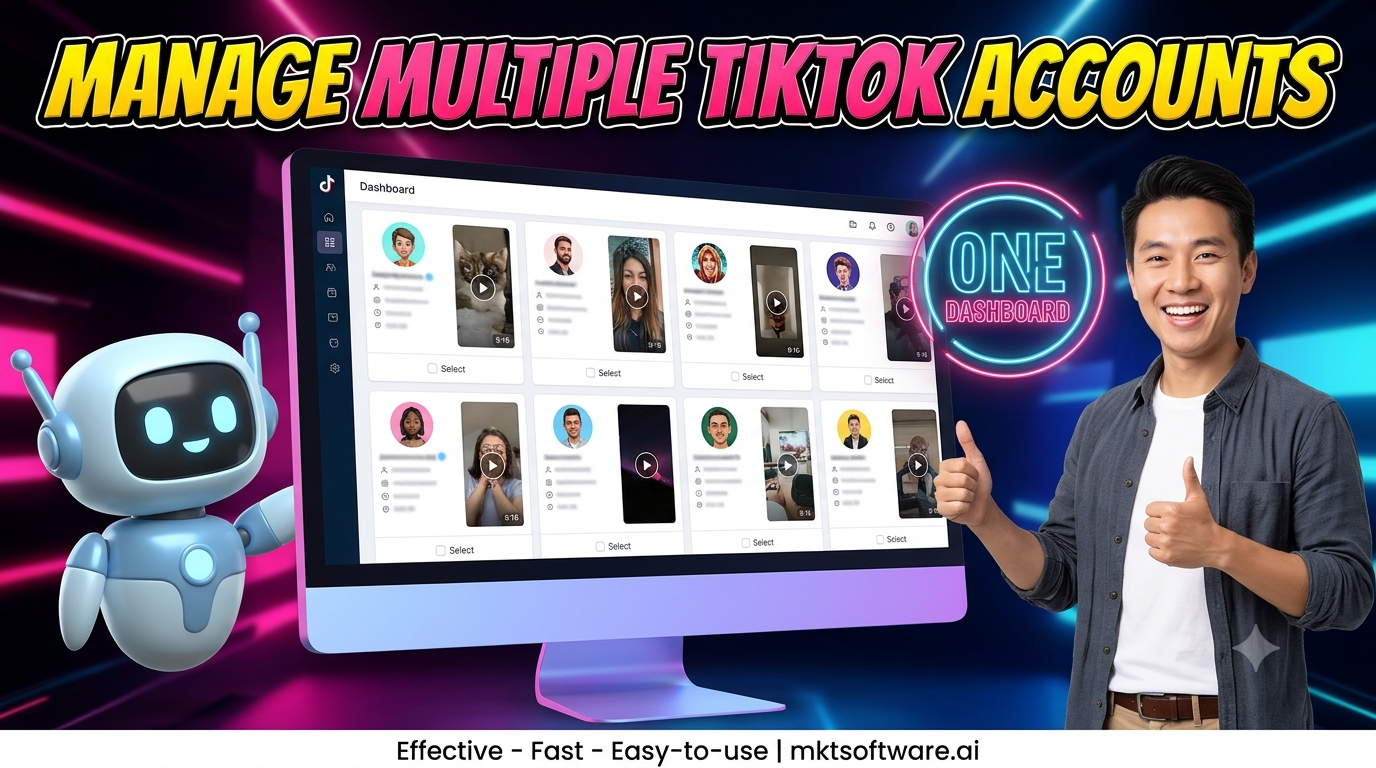
MKT TikPro is a Windows desktop tool for operators who need to manage multiple TikTok accounts at once. It brings your accounts into a single dashboard, lets you queue videos for each one, and schedules uploads so every account keeps a steady rhythm without someone logging in all day.
In practice the routine is simple. Add the accounts you own, load the videos you have already prepared for each one, set the timing, and review the log at the end of the week. The time you save moves to the work software cannot do, which is making videos worth watching. For a deeper look at the upload side, see the guide to a TikTok upload bot.
A weekly rhythm keeps the whole system healthy. Early in the week, plan and prepare the videos for each account. Midweek, load the queues and check that nothing is scheduled twice. At the end of the week, read the log, compare results per account, and decide which topics deserve more effort. This routine turns an effort to manage multiple TikTok accounts from a daily scramble into a short, repeatable review.
One honest boundary: MKT TikPro is third-party desktop software, not an official TikTok product. TikTok’s Community Guidelines, effective September 2026, strictly prohibit automation tools, scripts, or other tricks designed to bypass its systems, and they ban using a new account to get around a restriction on another. No tool can remove that risk, and every operator is responsible for following TikTok’s terms.
So use it only on accounts you own or are authorized to run, make every video genuinely different, and keep volume at a sensible level. The goal is to manage multiple TikTok accounts more clearly, not to push past the platform’s limits.
V. Frequently Asked Questions When You Manage Multiple TikTok Accounts
Q: Can you have multiple TikTok accounts?
Yes. TikTok’s Community Guidelines say you can have multiple accounts for purposes such as fan content or creative expression, but not to deceive others or break the rules.
Q: How many accounts can you stay logged into on one device?
Third-party guides disagree, with figures ranging from about three to five, and TikTok’s own pages that we checked do not give a firm number. Treat any exact figure with caution and check what the app allows on your device.
Q: Can I use the same email or phone number for several accounts?
No. TikTok’s Help Center explains that an email address or phone number can be linked to only one account, so each additional account needs its own.
Q: Is it safe to use a third-party tool to manage multiple TikTok accounts?
No tool can guarantee safety. TikTok strictly prohibits automation designed to bypass its systems, so use any tool carefully, only on accounts you control, and keep content original and pacing modest.
Q: Should I post the same video on every account?
Not unchanged. Reused material without anything new can be ineligible for the For You feed, so give each account its own hook, caption, or edit.
Q: How do I keep many accounts organized?
Give every account a clear purpose, plan its content in advance, keep a posting calendar, and review a log of activity every week. That simple discipline is what lets you manage multiple TikTok accounts without losing track of any of them.
VI. See MKT TikPro In Action
Watch the short video below to see how MKT TikPro helps you manage multiple TikTok accounts and post videos to them from one place.
Conclusion
The teams that manage multiple TikTok accounts well are not the ones that log in fastest. They give every account a purpose, keep the content genuinely different, and use a clear system for queues and logs. They also respect TikTok’s rules while doing it. MKT TikPro helps with the dashboard, queue, and scheduling side, while the decisions about what to film and say stay with you. Teams that keep switching accounts by hand are not only slower; they are capped at as many accounts as one person can remember to open each morning.
Contact MKT Software
MKT Software – the leading marketing automation suite for serious operators.
- Address: 4th Floor, Stellar Garden Building, 35 Le Van Thiem Street, Thanh Xuan District, Hanoi
- Hotline: +84335648286
- WhatsApp: +84335648286
- Telegram: @vietlongmkt
- Email: [email protected]
- YouTube: @marketingtool_mktsoftware