MKT Post is a powerful marketing automation tool that simplifies social media management. In this guide on How to Add and Manage Content in MKT Post Software you’ll discover how to easily organize and publish content, helping you streamline your marketing campaigns across platforms like Facebook with minimal effort.
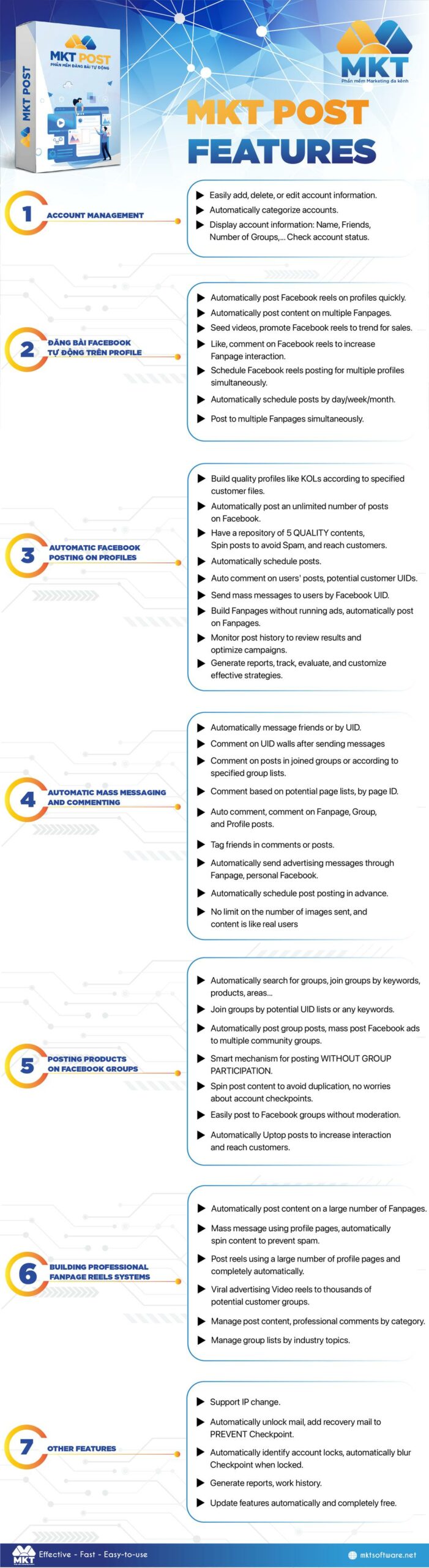
I. MKT Post software features
Here is all functions of MKT Post Software:
II. How to add content in MKT Post software
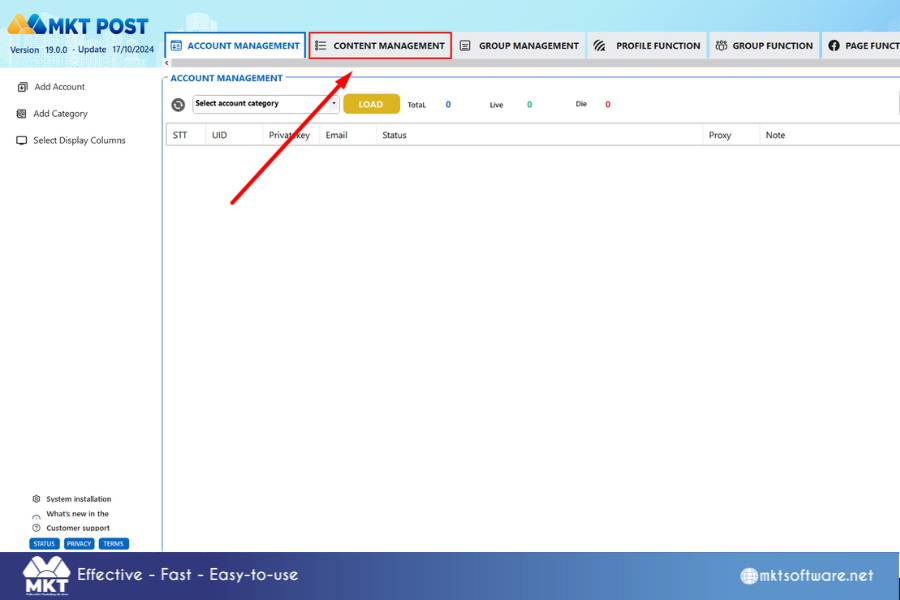
- Step 1: Click on “Content Management”
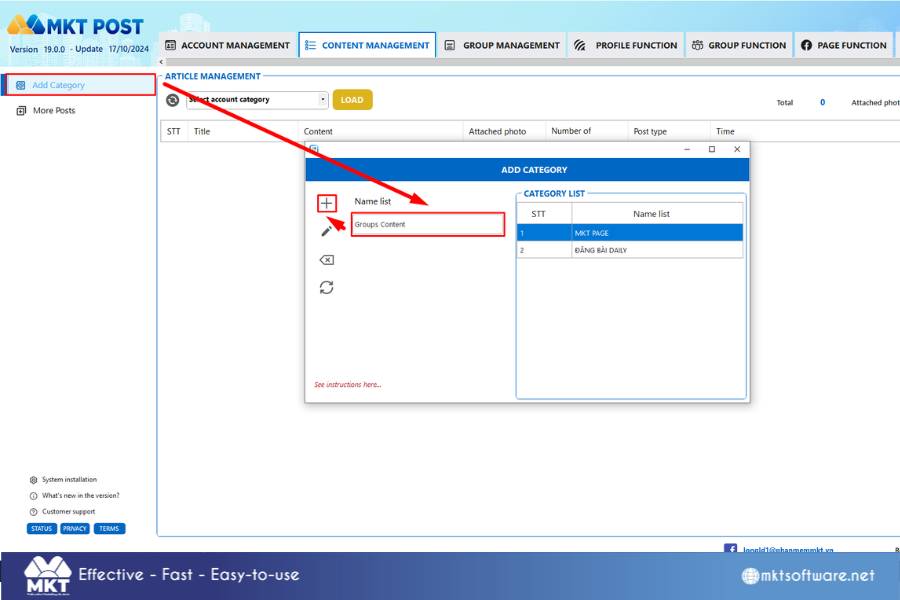
- Step 2: Add Category, then you write the Category Name you want. And then select the (+) icon to successfully add the folder to the software
- Step 3: Select Add Content Choose the Category
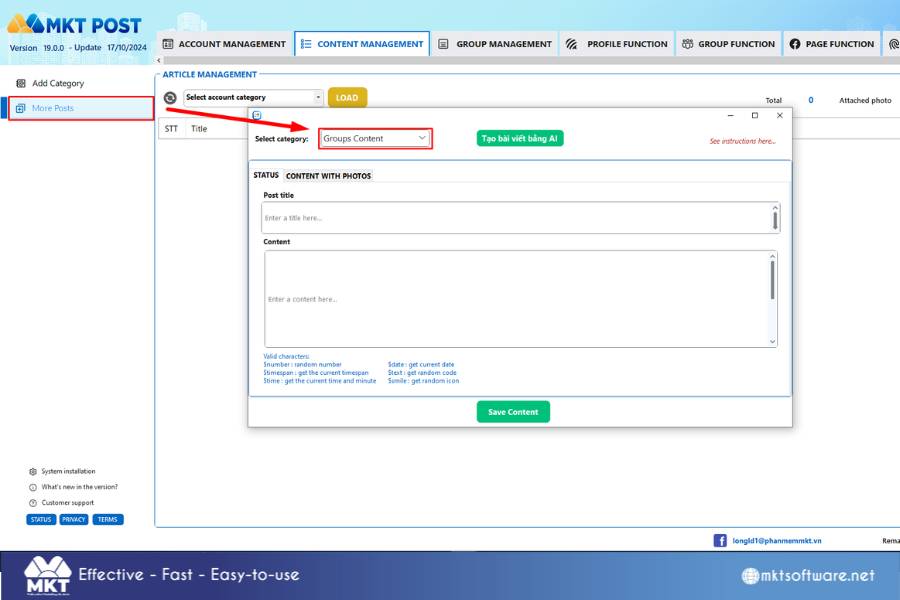
- Step 4: You can add 2 types of content. One is status form. The other is content with images.
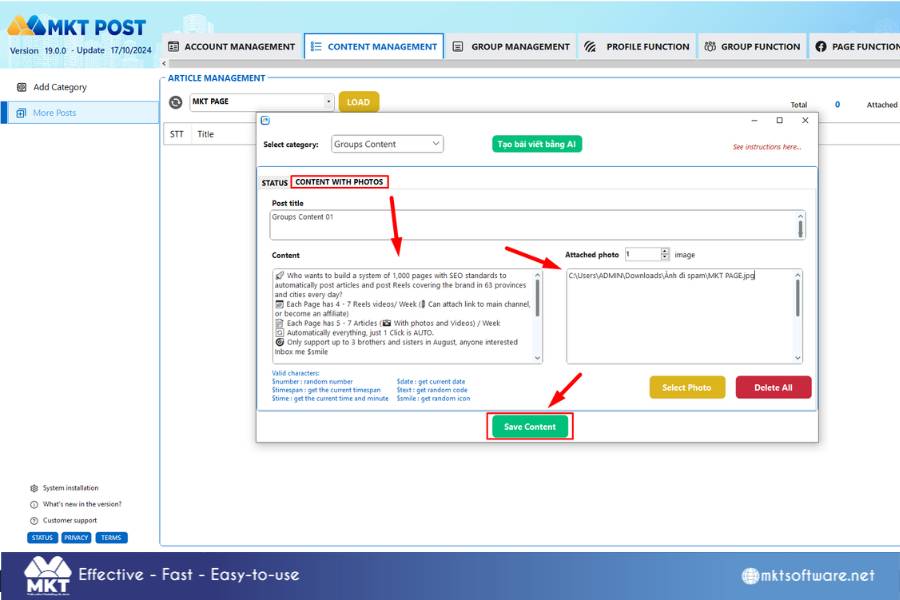
Now you Add content.
Click on Select photo/video to navigate the photo path.
After creating the article, select Save Content to successfully add the article to the software.
In this article, I have guide you how to add content in MKT Post Software. Wish you success!
Contact Me:
► Fanpage Facebook: MKT Software – Auto Marketing Tool