Finding potential customers on Facebook can take hours when you search for relevant business pages, collect prospect information, and manage outreach manually. For marketing agencies, online businesses, and lead generation professionals, this repetitive process can slow down growth and make it difficult to scale campaigns efficiently.
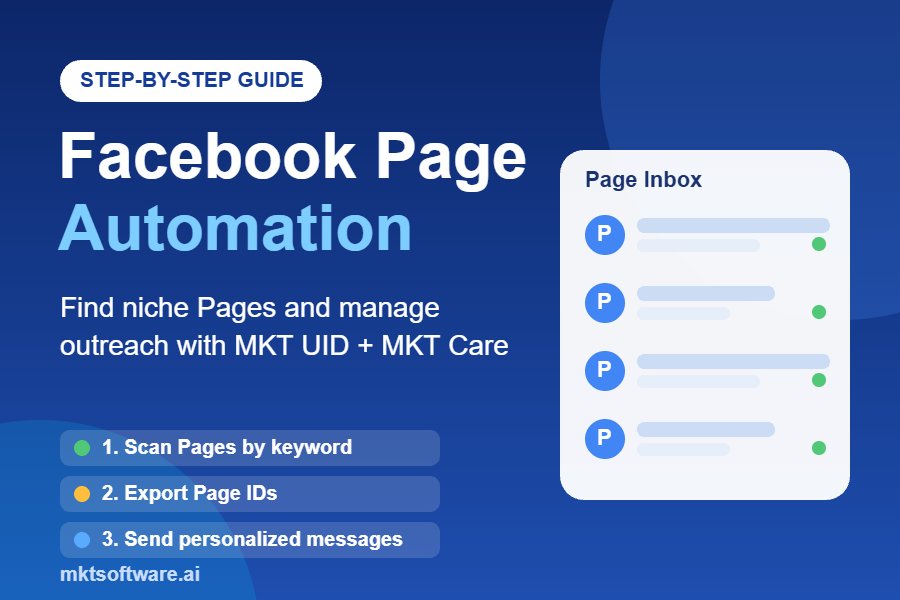
Facebook page automation offers a more organized approach. By combining Facebook Page discovery, prospect data collection, and streamlined communication, businesses can spend less time on repetitive tasks and more time developing valuable relationships with potential partners and customers.
In this guide, you will learn how to use MKT UID and MKT Care to discover Facebook Pages in your niche, organize relevant page data, and manage personalized outreach through a structured workflow. We will also cover practical settings, optimization tips, benefits, and common mistakes to avoid.
Facebook Page Automation Video Tutorial
Watch the full facebook page automation tutorial below to see MKT UID and MKT Care in action:
What Is Facebook Page Automation?
Facebook page automation refers to using software to simplify repetitive activities associated with discovering, organizing, managing, and communicating with Facebook Pages.
Instead of manually searching for individual Pages and maintaining prospect lists in spreadsheets, marketers can use a Facebook automation tool to make their workflows more efficient.
A typical Facebook Page automation workflow includes three main activities:
- Page discovery: Find Facebook Pages related to specific industries, products, services, or keywords.
- Data collection: Organize available Page information, including Page identifiers, for research and prospect management.
- Outreach management: Organize personalized communication and monitor campaign activity through a centralized workflow.
For businesses that depend on Facebook for customer acquisition, partnerships, and market research, these activities can create a more consistent prospecting process.
Why Do Marketers Need Facebook Page Automation?
Facebook contains Pages representing businesses, communities, creators, brands, and service providers. Finding the right Pages manually can become time-consuming, especially when a campaign targets several niches or geographic markets.
Automation helps reduce repetitive research and administrative work. It also makes it easier to maintain structured prospect lists and evaluate which audiences are most relevant to a business.
However, automation should support meaningful communication rather than indiscriminate messaging. Facebook messaging permissions, recipient expectations, applicable privacy requirements, and platform rules should always guide campaign execution.
How Facebook Page Automation Works with MKT UID and MKT Care
MKT Software provides two products that can support different stages of a Facebook marketing workflow: MKT UID and MKT Care.
1. MKT UID: Discover and Collect Facebook Page Data
MKT UID is a Facebook customer data collection tool designed to help marketers identify and organize potential audiences from Facebook sources.
Its capabilities include collecting UID data from groups, Facebook Pages, competitor posts, and interactions such as likes, comments, and shares. It also supports filtering audience information and exporting data for further marketing analysis.
For Facebook Page prospecting, the objective is to build a relevant list of Pages rather than manually recording every result.
A practical discovery process starts with niche-specific keywords. For example:
- Digital marketing agency
- Fitness center
- Beauty salon
- Real estate company
- Online fashion store
- Restaurant marketing
Marketers can use relevant search criteria to narrow their research. A follower threshold of approximately 1,000 can serve as an initial research filter when the goal is to prioritize established Pages.
Follower count alone, however, does not prove that a Page is active, relevant, or interested in your offer. Review available information before adding a Page to an outreach list.
2. MKT Care: Manage Facebook Account Activities
MKT Care is a Facebook account management and automation solution.
Its core capabilities include automated interactions, account management, scheduled activities, and support for managing multiple Facebook accounts in an organized environment.
For outreach teams, MKT Care can help organize communication-related tasks and monitor account activity.
When using its Send Message feature, campaigns should be restricted to recipients who can legitimately be contacted through Facebook messaging and who have an appropriate expectation of receiving the communication.
Multiple-account management should be used for legitimate account administration, not to circumvent Facebook restrictions, evade enforcement, or continue contacting recipients who have declined communication.
Step-by-Step Facebook Page Automation Workflow
The following workflow explains how to organize Facebook Page discovery and outreach using MKT UID and MKT Care. It focuses on accurate prospect research, responsible communication, and measurable campaign management.
Step 1: Define Your Target Niche
Before opening any automation software, identify exactly which types of Facebook Pages you want to research.
A broad search such as “business” may return a large number of unrelated Pages. More specific keywords usually produce a more useful prospect list.
For example, instead of searching for “marketing,” consider:
- Facebook advertising agency
- Social media marketing agency
- Local SEO company
- E-commerce marketing consultant
Choose keywords based on your actual product, service, and ideal customer profile.
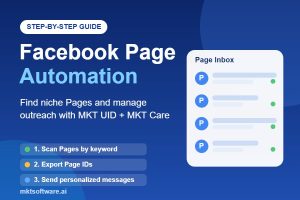
Step 2: Scan Relevant Facebook Pages with MKT UID
Open MKT UID and use its Facebook data collection capabilities to research relevant audiences and Pages.
Organize your search around the keywords selected in Step 1. Where the available search filters allow, use a follower floor of approximately 1,000 to prioritize Pages with an established audience.
After collecting results, review the available Page information to determine whether each prospect matches your campaign criteria.
Useful evaluation criteria include:
- Industry and business category.
- Relevance to your product or service.
- Audience size and apparent activity.
- Geographic location, where relevant.
- Whether the Page provides a suitable and legitimate contact channel.
Step 3: Export and Organize Page IDs
Once your research is complete, organize the collected Page identifiers and available prospect information into a structured file.
Page IDs can help maintain consistent records and identify individual Pages during research and campaign administration.
Keep your prospect database organized with fields such as:
- Facebook Page ID.
- Page name.
- Industry or niche.
- Follower count, if available.
- Research date.
- Contact status.
- Permission or outreach eligibility.
- Follow-up status.
Remove irrelevant records and duplicates before moving to the next stage. This makes the prospect database more useful and reduces unnecessary communication.
Step 4: Prepare Your Outreach Campaign in MKT Care
Open MKT Care and review the available account management and communication features.
Its Send Message feature can be used to manage eligible Facebook conversations within a structured workflow.
Before starting, prepare a short, personalized message that clearly explains why you are contacting the recipient.
A good outreach message should:
- Identify your business or organization.
- Explain the reason for the message.
- Provide a relevant benefit to the recipient.
- Include a simple and appropriate next step.
- Respect the recipient’s communication preferences.
Do not treat every discovered Page as an automatically eligible messaging recipient. A public Page ID or visible inbox does not establish permission to send unsolicited bulk messages.
Step 5: Review Threads and Account Activity
Conversation management is important when several team members or authorized accounts are involved in a campaign.
Use conversation threads to maintain context and avoid treating an existing conversation as a new prospect interaction.
MKT Care’s account activity information can help operators review the status of accounts participating in their workflow.
Where the run table displays live and inactive account information, use it for operational monitoring and troubleshooting. An inactive account should be reviewed rather than repeatedly replaced with another account to continue the same restricted activity.
Step 6: Configure Responsible Campaign Limits
Campaign controls should prioritize account security, recipient experience, and platform compliance.
Before execution, establish internal limits based on authorized account usage, Facebook’s applicable requirements, and the scope of the approved communication.
Important considerations include:
- Account limits: Never exceed applicable platform or account restrictions.
- Message intervals: Do not assume that a 15-second delay makes otherwise prohibited bulk messaging acceptable.
- Duplicate prevention: Maintain a centralized contact history to prevent multiple team members from contacting the same Page unnecessarily.
- Conversation context: Check previous interactions before sending a new message.
- Account health: Stop activity when an account encounters warnings, restrictions, or suspicious behavior.
The purpose of campaign controls is to protect the quality and legitimacy of communication, not to distribute unsolicited messages across multiple accounts to avoid enforcement.
Step 7: Measure Results and Improve Your Workflow
After the campaign, review the results and identify which prospect segments generated meaningful conversations.
Useful performance indicators include:
- Number of relevant Pages identified.
- Number of eligible prospects reviewed.
- Number of legitimate conversations initiated.
- Response rate.
- Qualified business opportunities.
- Conversions and resulting revenue.
Use these insights to refine your keywords, targeting criteria, message quality, and prospect qualification process.
Key Benefits of Facebook Page Automation for Businesses
When implemented responsibly, facebook page automation can improve the efficiency of Facebook prospect research and marketing operations.
1. Save Time on Prospect Research
Manual research requires repeatedly searching for Pages, reviewing profiles, and recording information. MKT UID helps organize Facebook data collection so marketers can spend more time evaluating relevant prospects.
2. Discover More Relevant Business Opportunities
Keyword-based research allows businesses to explore different industries and market segments. Instead of relying entirely on existing contacts, teams can identify additional Pages that match their ideal customer profile.
3. Improve Prospect Database Management
Exporting and organizing Page identifiers makes it easier to maintain a consistent research database. Teams can categorize prospects, remove duplicates, and track the progress of their business development activities.
4. Streamline Facebook Account Management
MKT Care provides account management and automation capabilities that help reduce repetitive administrative activities. This is particularly useful for businesses managing multiple authorized Facebook accounts.
5. Build a More Measurable Facebook Lead Generation Process
Combining structured prospect research with conversation tracking makes it easier to evaluate marketing performance.
Rather than focusing only on the number of Pages discovered or messages sent, businesses can measure qualified responses, meaningful conversations, and actual business opportunities.
6. Support Scalable Marketing Operations
As a business expands into new niches, a repeatable research and qualification process becomes increasingly valuable. Automation helps standardize these workflows while allowing marketing teams to maintain quality control.
Looking to improve your Facebook prospecting workflow? Explore MKT UID for Facebook data collection and MKT Care for Facebook account management. Contact the MKT Software team to discuss the right setup for your business.
Best Practices for Effective Facebook Page Automation
Choosing a facebook automation tool is only one part of a successful strategy. The quality of your targeting and communication has a direct impact on the value of your marketing activities.
Use Narrow and Specific Keywords
Start with highly relevant keywords rather than broad industry terms. Specific searches make it easier to identify Pages that genuinely match your target market.
Apply a Relevant Follower Threshold
A threshold of around 1,000 followers can be a useful starting point for research. Adjust the criterion according to your industry. A local service business may have a smaller audience but stronger commercial relevance than a large general-interest Page.
Write Short, Personalized Messages
Keep the opening message concise. One short line can be sufficient to introduce a relevant topic and invite a conversation when the recipient is eligible to be contacted.
Avoid generic promotional messages that provide no context. Personalization should explain why the conversation is relevant to that specific business.
Avoid Unnecessary Links in Initial Messages
When appropriate, begin with a simple introduction instead of immediately including multiple links, attachments, or promotional materials.
Do not use this as a tactic to disguise unsolicited advertising. Always communicate transparently and follow the recipient’s preferences.
Prevent Duplicate Outreach
Use centralized prospect records and contact history to ensure that a Page is not repeatedly approached by different team members or accounts.
A duplicate-prevention process is particularly important when managing larger prospect databases.
Review Account Health Regularly
Monitor account status and pay attention to platform notifications. Pause campaigns when restrictions or unusual account behavior occur. Do not use account rotation to bypass those restrictions.
Prioritize Quality Over Quantity
Discovering 500 highly relevant business Pages may be more valuable than collecting 10,000 unrelated results.
Focus on prospects who match your product, demonstrate a relevant business need, and have a legitimate reason to communicate with your organization.
Common Mistakes to Avoid When Using a Facebook Automation Tool
1. Targeting Too Broadly
Using generic keywords creates irrelevant results and wastes research time. Define your ideal customer before collecting data.
2. Treating Every Page as a Potential Customer
A Page with thousands of followers is not automatically a qualified lead. Review its business category, relevance, and contact eligibility.
3. Sending Identical Promotional Messages
Generic messages rarely create meaningful conversations. Develop communication that reflects the recipient’s business and the reason for contacting them.
4. Ignoring Existing Conversation History
Failing to review previous interactions can create duplicate communication and damage business relationships. Maintain accurate contact records.
5. Ignoring Facebook Policies
Automation software does not remove the responsibility to follow Facebook’s messaging rules and applicable privacy requirements. Never use multiple accounts, delays, or account rotation as a way to circumvent platform restrictions.
Frequently Asked Questions About Facebook Page Automation
1. What Is the Best Way to Automate Facebook Page Prospecting?
A practical approach is to define your target niche, research relevant Facebook Pages using keyword-based discovery, organize the available Page information, and qualify prospects before initiating appropriate communication. MKT UID can support the data collection stage, while MKT Care supports Facebook account management.
2. Can I Use MKT UID as a Facebook Page Scraper?
MKT UID is designed for Facebook data collection and audience research. Its capabilities include collecting UID data from groups, Pages, competitor posts, and post interactions. Available data and extraction options depend on the supported features and platform access. Always ensure that your collection and use of data comply with applicable privacy requirements and Facebook policies.
3. How Can I Message Facebook Pages for Business Outreach?
First, identify relevant Pages and establish whether they can legitimately be contacted through Facebook messaging. Prepare a concise, personalized introduction, provide clear business context, and respect any communication preferences or restrictions. A discovered Page or publicly visible inbox does not automatically authorize unsolicited bulk messaging.
4. Is Bulk Message Facebook Automation Safe?
Bulk messaging can create account and compliance risks when used for unsolicited or repetitive outreach. Message limits, account restrictions, recipient preferences, and platform policies must be respected. A responsible approach prioritizes eligible recipients, relevant conversations, duplicate prevention, and account health rather than maximizing message volume.
5. What Is the Difference Between MKT UID and MKT Care?
MKT UID focuses on Facebook data collection, audience research, and prospect identification. MKT Care focuses on Facebook account management and automated account activities. The products address different stages of a marketing workflow and can be evaluated together depending on your business requirements.
Conclusion: Build a Smarter Facebook Page Automation Strategy with MKT Software
Facebook page automation can make Facebook prospect research and marketing operations more organized, efficient, and measurable.
With MKT UID, businesses can discover relevant Facebook audiences, collect available data, and organize Page research. With MKT Care, teams can manage Facebook accounts and streamline supported activities through a centralized workflow.
The key to sustainable results is combining automation with accurate targeting, relevant communication, responsible account management, and continuous performance analysis.
If you want to improve your Facebook lead generation strategy, explore the MKT Software ecosystem and find out how MKT UID and MKT Care can support your marketing operations.
Contact MKT Software today to discuss your Facebook automation requirements and request a personalized product consultation.
- Telegram: @vietlongmkt
- WhatsApp: +84 335 648 286
- Website: https://mktsoftware.ai
Start building a more efficient, data-driven Facebook marketing workflow with MKT Software.