Are you looking for an easy way to automate Facebook messaging to reach potential customers most effectively? In this article, MKT Software will guide you how to automate sending messages in Facebook not only effectively but also 100% safe. Get ready to revolutionize your approach and achieve flawless communication on Facebook.
I. Why you should do how to automate sending messages in Facebook?
How to automate sending messages in Facebook is one of the methods of reaching potential customers chosen by many businesses. Implementing how to automate sending messages in Facebook brings many significant benefits to businesses such as:
- Save time: Sending messages in bulk saves time compared to sending each message manually, helping employees focus on other important tasks.
- Increase interaction: Businesses can reach and interact with many customers at the same time, increasing the opportunity to create relationships and promote interaction.
- Promote products and services: Mass messaging allows businesses to announce new products, promotions, events, and important news quickly and effectively.
- Enhance personalization: Many mass messaging tools allow personalizing message content by customer groups or individuals, helping to improve the effectiveness of marketing campaigns.
- Analytics and performance tracking: Bulk messaging tools often come with analytics features that help businesses track open rates, click-through rates, and other metrics to evaluate campaign effectiveness.
- Process automation: Bulk text messaging can be automated, helping businesses reduce repetitive work and reduce the risk of human error.
- Enhanced customer service: Businesses can use mass text messages to send support information, order updates, and answer common questions, improving the customer experience.
- Increased accuracy: With mass messaging, businesses can ensure that all customers receive consistent and accurate information.
- Reach new customers: Bulk texting tools can help businesses reach and stay in touch with new or potential customers.
- Increase revenue: By promptly announcing promotions and shopping opportunities, businesses can stimulate purchases and increase revenue.
II. How to automate sending messages on Facebook: is it safe?
Using tools to automatically send messages on Facebook has become a popular method for businesses to reach customers quickly and effectively. However, an important question that many people are interested in is: “Is it safe to automate sending messages on Facebook?”
1. Risks of using automated tools
When using automated messaging tools, there are some potential risks that businesses need to keep in mind:
- Risk of Facebook ban: If you use unofficial tools or do not comply with Facebook policies, your account may be banned or locked, affecting your business.
- Risk of fraud: Some automated message sending tools may be unsafe or contain malicious code. Businesses should be careful when choosing software and only use tools from reputable vendors.
- Technical errors: Automated tools may experience technical errors, resulting in incorrect message delivery or service interruptions.
2. How to ensure safety when using automated tools
To ensure safety when using the automatic message sending tool on Facebook, businesses should:
- Choose reputable tools: Use software from reputable and certified vendors, such as MKT Care. These tools are often designed to comply with Facebook policies and protect user information.
- Check privacy policy: Make sure the tool you choose has a clear privacy policy and protects your customers’ personal information.
- Regular software updates: Regularly update the tool automatically to ensure that you are always using the latest version with the latest security patches.
- Effective monitoring: Monitor automated tool performance and track metrics to detect potential problems early and make timely adjustments.
II. Instructions on how to automate sending messages on Facebook using MKT Care Software
Today, automating message sending on Facebook has become a powerful assistant to help businesses reach and interact with customers more effectively. MKT Care software stands out with its ability to send mass messages automatically and accurately. Let’s explore the method below to help you optimize your marketing strategy and improve communication efficiency with customers.
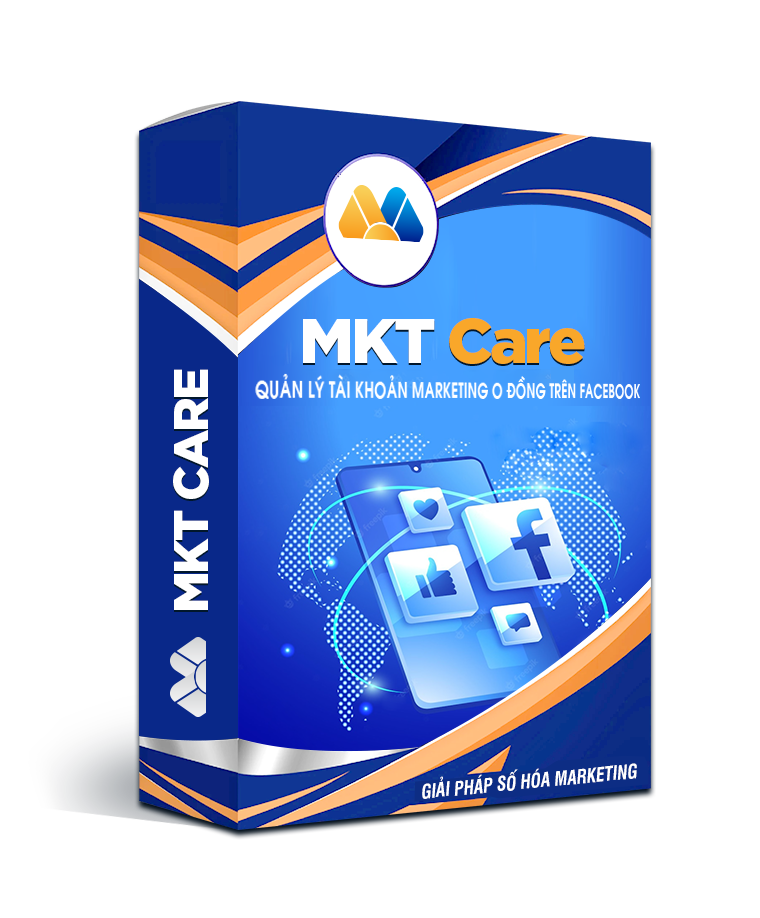
1. Introducing MKT Care Software
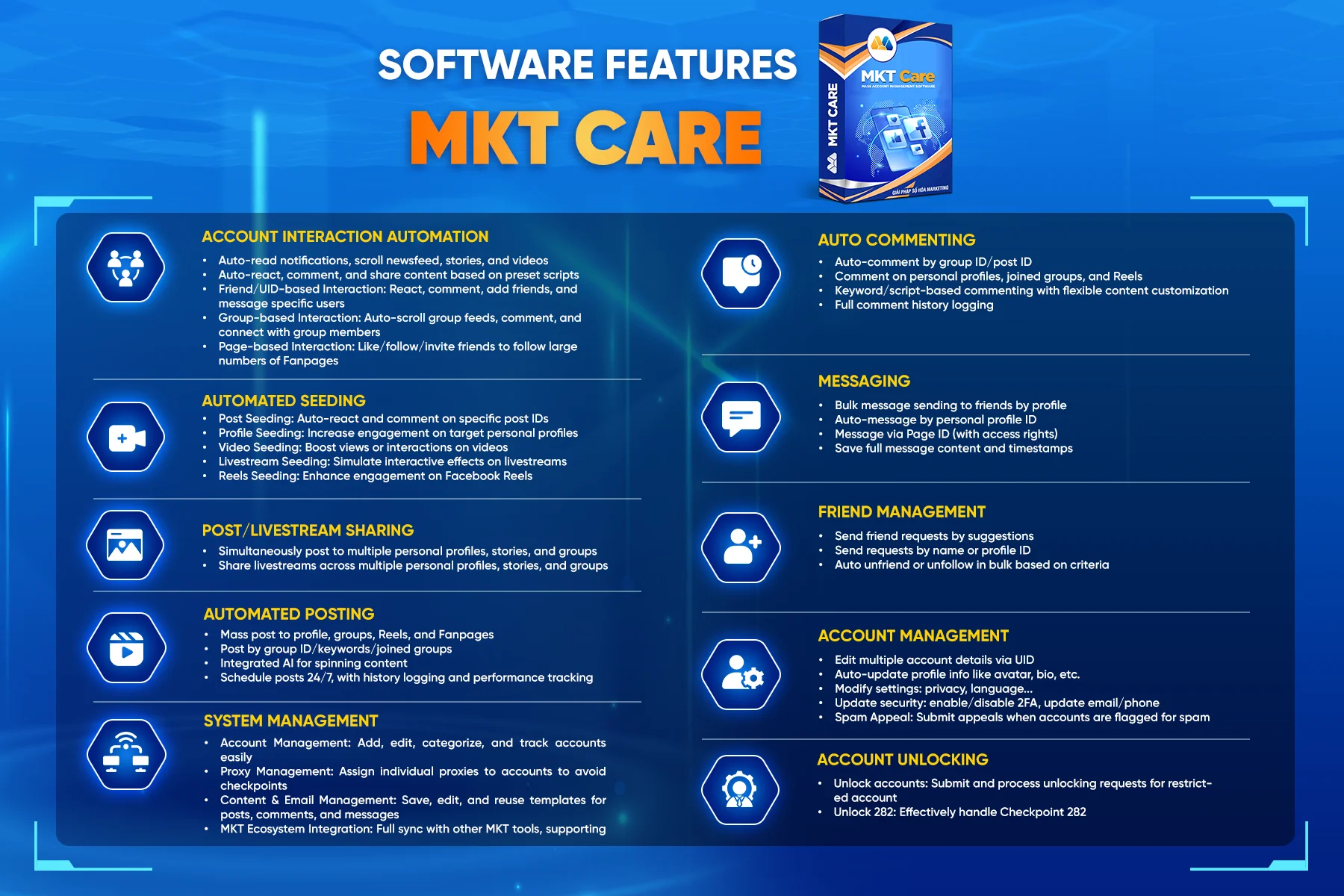
MKT Care is a powerful and flexible tool for businesses and individuals who want to optimize their operations on the Facebook platform. Designed to support effective marketing and account management strategies, MKT Care offers a range of automation features that save time and effort in managing multiple Facebook accounts at once. Outstanding features of MKT Care Software:
2. Detailed instructions
To perform How to automate sending messages in Facebook using MKT Care software, you can follow the simple steps below:
- Step 1: Log in to MKT Care software.
- Step 2: At the software interface, select Viral Marketing then select Send Message.
- Step 3: Here you go to Choose Content to select the content you want to send and set the required parameters.
- Step 4: After installing the parameters, select Load and press Start for the software to start running.
3. Video instructions
Let’s follow How to automate sending messages in Facebook in detail in the video below:
>> SEE MORE:
- How to do mass messaging on Facebook without getting banned 2026
- Why should you use tool auto post Facebook in your marketing campaign?
Conclusion
Mastering How to send automate messages in Facebook is an important factor in the process of reaching target customers. Through the article on MKT Software, we have shared with you How to automate sending messages in Facebook most safely and effectively. Apply this How to send automate messages in Facebook to optimize your business’s marketing strategy.